| DiMAGE F100 |
Top-FAQ
| How can I download images from the camera? |
For Windows XP
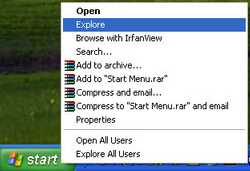
Connect the camera to a computer via USB and right click on the \\\"Start\\\" button->\\\"Explore\\\"
 |
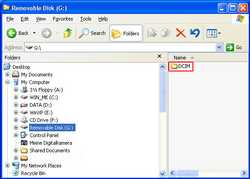
when the explore window is opened, a new removable disk icon will be displayed. double click on the icon to access the camera’s memory card.
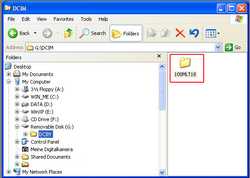
a new folder \\\"dcim\\\" icon will be displayed. double click on the icon
 |
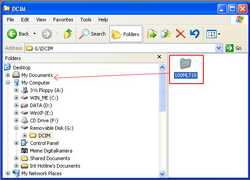
simply drag and drop the files from the storage card to the hard disc of the computer
 |
 |
for windows 2000/me/98/98se
connect the camera to a computer via usb and right click on the \\\"start\\\" button->\\\"explore\\\"
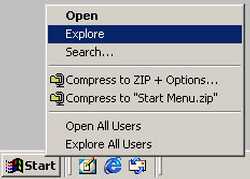 |
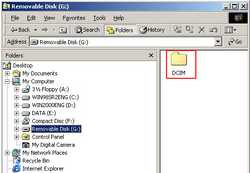
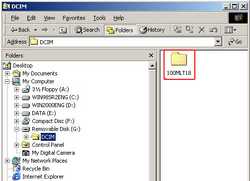
when the explore window is opened, a new removable disk icon will be displayed. double click on the icon to access the camera’s memory card. a new folder \\\"dcim\\\" icon will be displayed. double click on the icon
 |
simply drag and drop the files from the storage card to the hard disc of the computer
 |
 |
for more information refer to the instruction manual